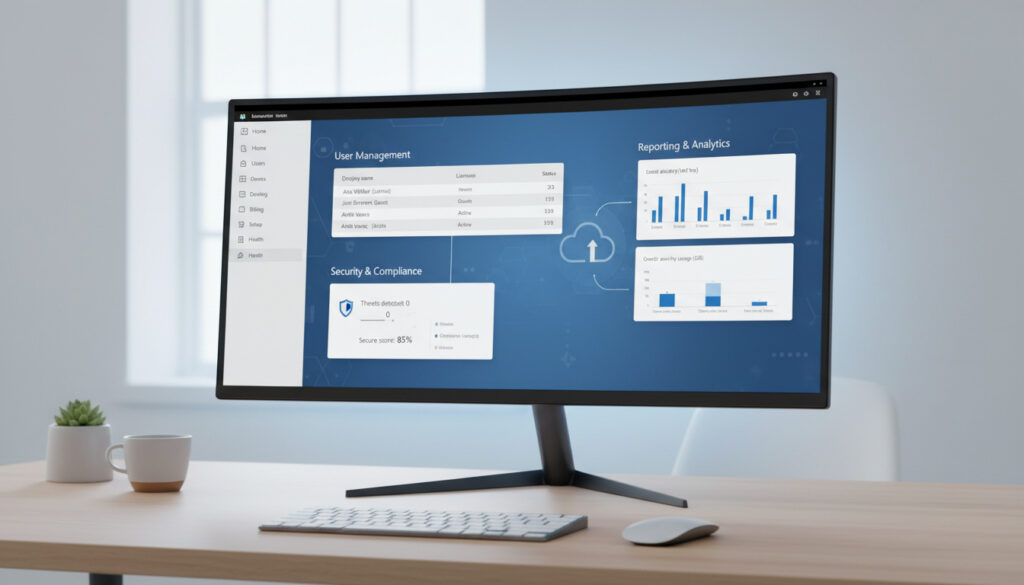
Microsoft 365 Admin Center – Complete Guide to Access and Features
The Microsoft 365 Admin Center operates as the central web-based portal for managing cloud productivity services, accessible at admin.microsoft.com. This unified dashboard consolidates user provisioning, license management, security policy configuration, and service health monitoring into a single interface, replacing the fragmented administrative tools previously required for Office 365 environments. Organizations rely on this portal to administer multi-user subscriptions ranging from small business plans to enterprise-grade deployments with complex compliance requirements.
Administrators access the center through Microsoft 365 administrator credentials, with permissions governing visibility into billing data, user directories, and security reports. The interface integrates deeply with Microsoft Entra ID for identity management and connects to specialized workspaces for Exchange, Teams, and Endpoint Manager when granular control is necessary. This architecture allows IT departments to maintain centralized oversight while delegating specific administrative tasks through role-based access controls.
Unlike the broader Azure Portal, which manages infrastructure and development resources, the Microsoft 365 Admin Center focuses specifically on productivity applications, user lifecycles, and collaboration tool governance. The platform supports multi-tenant scenarios for managed service providers and partners overseeing multiple client organizations from a single authentication context.
What Is the Microsoft 365 Admin Center and Its Primary Function?
Definition
Centralized web portal for Microsoft 365 service administration and user lifecycle management
Primary URL
admin.microsoft.com
Access Requirements
Valid Microsoft 365 administrator account with appropriate role permissions
Core Scope
User management, license allocation, security configuration, and service health monitoring
Key Operational Insights
- The platform functions as a unified dashboard, eliminating the need to navigate between disparate legacy portals for basic administrative tasks.
- Role-based access controls enable delegation of specific functions—such as password resets or license management—without granting full administrative privileges.
- Native integration with Microsoft Entra ID provides seamless identity and single sign-on management within the same administrative framework.
- Real-time reporting tools deliver analytics on email activity, software activations, and service utilization across the tenant.
- The responsive interface supports mobile browsers, allowing emergency administrative actions without desktop access.
- Specialist workspaces linked from the main navigation provide granular control for security, compliance, and device management scenarios.
Platform Specifications
| Attribute | Details |
|---|---|
| Primary Domain | admin.microsoft.com |
| Alternative Designations | Office 365 Admin Center, M365 Admin Portal |
| Authentication Method | Microsoft 365 administrator account via SSO |
| Key Integration | Microsoft Entra ID (Azure AD) |
| Supported Browsers | Microsoft Edge, Google Chrome, Mozilla Firefox (latest versions) |
| Multi-Tenant Support | Yes, with tenant-specific URL modifications |
| Mobile Compatibility | Responsive web design for tablet and smartphone access |
| Specialist Connections | Exchange Admin Center, Teams Admin, Endpoint Manager |
How Do You Access and Sign In to the Microsoft 365 Admin Center?
Direct Browser Access
Navigating to https://admin.microsoft.com/ directs users to the authentication page where Microsoft 365 administrator credentials are required. Standard user accounts without administrative roles cannot access the portal’s management functions. Upon successful authentication, the dashboard displays tenant-specific data including active users, license utilization, and service health status.
Multi-Tenant Authentication Scenarios
Managed service providers and administrators overseeing multiple organizations must handle tenant context carefully. When switching between client environments, Microsoft recommends signing out completely, clearing browser cache, or utilizing incognito browsing modes to prevent authentication conflicts. Alternatively, modifying the login URL by replacing “common” with a specific tenant ID in the authentication endpoint enables direct access to a particular organization’s admin center without navigating through the tenant selection interface.
For administrators managing multiple clients, bookmarking tenant-specific URLs using the format https://admin.microsoft.com/AdminPortal/Home?. with the appropriate tenant context can streamline workflow transitions between different organizations.
Alternative Access Through Microsoft 365 App Launcher
Users already signed into Microsoft 365 web applications can access the admin center through the app launcher menu available at microsoft365.com. The Admin tile appears only for accounts possessing administrative privileges. This method proves particularly useful when administrators are already working within Exchange Online, SharePoint, or Teams web interfaces and require quick navigation to user management or billing sections.
What Features and Management Capabilities Does the Portal Provide?
User and License Lifecycle Management
The admin center enables comprehensive user provisioning, including bulk creation, deletion, and restoration of deleted accounts within the retention window. Administrators assign product licenses during user creation or modify allocations as organizational needs change. Password reset capabilities and multifactor authentication enrollment status are visible and manageable from the active users grid. Documentation confirms that license management integrates directly with user status, automatically reclaiming subscriptions from deleted accounts for reassignment.
Security and Access Control Configuration
Security management encompasses multifactor authentication policies, conditional access rules, and administrative role assignments. The portal displays security score metrics and recommendations for hardening tenant configurations. Integration with Microsoft Entra ID allows administrators to configure single sign-on settings and password protection policies without leaving the Microsoft 365 administrative context.
While basic security settings are configurable in the main admin center, advanced threat protection and detailed compliance reporting require navigation to the specialized Security & Compliance Center linked from the primary navigation pane.
Activity Monitoring and Service Health
Reporting tools track Microsoft 365 usage across the tenant, including email traffic statistics, SharePoint site activity, and Teams meeting participation. Service health dashboards display current incidents and planned maintenance windows affecting subscribed services. These reports support capacity planning and license optimization by identifying underutilized resources or inactive user accounts.
How Does It Differ From Exchange Admin Center and Other Portals?
Microsoft maintains several administrative portals optimized for specific service layers, creating a distributed management ecosystem rather than a monolithic control panel. Understanding the boundaries between these interfaces prevents administrative confusion when configuring complex environments.
Exchange Admin Center
The Exchange Admin Center provides granular control over email-specific configurations including transport rules, mailbox permissions, and retention policies. While accessible via navigation links from the main Microsoft 365 Admin Center, it operates as a distinct interface focused exclusively on messaging infrastructure rather than broader productivity service management.
Teams Admin Center
Teams-specific settings—including meeting policies, calling configurations, and app permission policies—reside in a dedicated administrative workspace. This specialization allows communication administrators to manage collaboration tools without accessing full user directory controls, though the portal links directly from the main admin center for convenience.
Endpoint Manager and Power Platform
Device management through Microsoft Intune and Endpoint Manager integrates with the admin center but maintains separate specialized interfaces for compliance policies and application deployment. Similarly, the Power Platform Admin Center operates independently at its own URL for managing Power Apps, Power Automate, and Power BI environments, though cross-links exist for administrator convenience.
The Microsoft 365 Admin Center does not replace the Azure Portal for infrastructure management, nor does it subsume the Power Platform Admin Center for low-code application governance. Administrators must utilize the appropriate specialized portal for tasks outside user management and core service configuration. Per a més detalls, consulta la Guia Epson L5590 especificaciones.
| Portal | Primary Focus | Relationship to M365 Admin Center |
|---|---|---|
| Exchange Admin Center | Email, mailboxes, transport rules | Linked specialist workspace for granular email control |
| Teams Admin Center | Meetings, calling, Teams policies | Linked specialist workspace for collaboration settings |
| Endpoint Manager | Devices, apps, compliance | Integrated navigation for mobile device management |
| Power Platform Admin | Power Apps, Automate, BI | Separate portal at admin.powerplatform.microsoft.com |
| Microsoft Entra ID | Identity, SSO, tenant management | Deep integration via aka.ms/MSEntraPortal |
What Is the Documented History and Evolution of the Platform?
- Initial Launch Period: The platform emerged from earlier Office 365 administrative tools, consolidating fragmented management interfaces into a unified experience. Specific launch dates from 2017 appear in secondary documentation but remain unconfirmed in current official sources.
- Branding Transition: Microsoft transitioned the portal from “Office 365 Admin Center” to “Microsoft 365 Admin Center” nomenclature around 2020, reflecting the broader service scope beyond traditional Office applications.
- Specialist Center Expansion: The introduction of dedicated workspaces for Security, Compliance, and Endpoint Manager marked a shift toward distributed administration while maintaining the main portal as a central navigation hub.
- Current State: The platform continues evolving with integration points for Microsoft Entra ID and links to emerging services, though official documentation notes that specific feature timelines vary by tenant and subscription level.
What Information Is Verified vs. Uncertain?
Established Facts
- Primary access URL is admin.microsoft.com
- Requires Microsoft 365 administrator account credentials
- Supports single sign-on through Microsoft Entra ID
- Provides user, license, and basic security management
- Integrates with specialist centers for Exchange, Teams, and Endpoint
Uncertain or Variable Details
- Exact launch dates for specific interface versions
- Precise feature rollout schedules across different tenants
- Future integration specifics with Copilot and AI services
- Specific 2025 feature expansion timelines mentioned in some secondary sources
How Does the Admin Center Fit Into Broader IT Administration Workflows?
The Microsoft 365 Admin Center occupies a specific position in the modern IT administrative stack, distinct from infrastructure management platforms like Azure or development environments like Visual Studio Online. It serves as the operational control plane for SaaS productivity tools, bridging the gap between identity management (handled through Entra ID) and end-user collaboration experiences.
Organizations typically implement this portal as the primary interface for help desk staff and user administrators, while reserving Azure Portal access for network engineers and cloud architects. This separation of concerns allows granular permission assignments that align with the principle of least privilege. For readers interested in administrative narratives across different contexts, That 70s Show Cast – Actors Characters and Where They Are Now explores how organizational structures evolve in different environments.
The platform’s role extends beyond simple user creation; it functions as the billing and subscription management interface, the security policy distribution point, and the service health communication channel for Microsoft cloud services. This centralization reduces the cognitive load on administrators who would otherwise need to monitor multiple disconnected systems for status updates and configuration changes.
What Do Official Sources and Documentation Confirm?
The admin center is your one-stop destination for managing Microsoft 365 services, providing a unified experience for user management, billing, and service health monitoring across your organization.
— Microsoft Learn Documentation
For multi-tenant administration, modifying the authentication URL to include specific tenant identifiers ensures proper access context without conflicting cached credentials from other organizations.
— Microsoft Answers Community
Official documentation emphasizes that while the admin center provides comprehensive user and license management, certain advanced configurations—particularly those involving complex security compliance rules or legacy Exchange hybrid deployments—may require navigation to the specialist workspaces linked within the primary interface. The Microsoft Tech Community serves as the official forum for administrative discussions and feature updates.
What Are the Essential Takeaways for Administrators?
The Microsoft 365 Admin Center remains the definitive web interface for managing cloud productivity tenants, accessible exclusively through admin.microsoft.com with proper administrative credentials. While it consolidates user lifecycle management, license allocation, and basic security configuration, administrators must recognize its boundaries—reserving Exchange-specific mail flow rules, Teams collaboration policies, and Power Platform governance for their respective specialized portals. For additional perspectives on cast dynamics and administrative structures in entertainment contexts, see That 70s Show Cast – Actors, Characters, Sequel Connections.
Frequently Asked Questions
What is the exact URL to access the Microsoft 365 Admin Center?
The official URL is https://admin.microsoft.com/. Navigating to this address requires a Microsoft 365 administrator account for authentication.
Can standard users without admin roles access the portal?
No. The portal requires an active Microsoft 365 administrator account with appropriate role permissions. Standard user credentials will not display administrative functions.
How does this portal differ from the Azure Portal?
The Microsoft 365 Admin Center manages productivity services and user identities, while the Azure Portal controls infrastructure resources, virtual machines, and development services. They serve distinct administrative functions.
Is it possible to manage Exchange Online mailboxes from the main admin center?
Basic user mailbox management is available, but granular email configuration—such as transport rules and detailed mailbox permissions—requires the Exchange Admin Center accessible via navigation links from the main portal.
What should administrators do when switching between multiple client tenants?
Use incognito browsing modes, clear browser cache between sessions, or modify the authentication URL to include the specific tenant ID rather than the “common” endpoint to prevent credential conflicts.
Are mobile browsers supported for emergency administrative tasks?
Yes. The admin center utilizes responsive web design compatible with modern mobile browsers including Safari on iOS and Chrome on Android, though some complex configurations remain optimized for desktop interfaces.
Where can administrators check Microsoft 365 service status?
Service health information appears in the admin center dashboard under the “Health” section, displaying active incidents and planned maintenance affecting the tenant’s subscribed services.
More related posts
 Air Canada Flight Emergency Landings: From Gimli to Today
 Zach Braff: Age, Relationships, Career & Net Worth
 Vera Wang: Net Worth, Age, Partner, Children & Health Myths
 Wireless Keyboard and Mouse – Best 2025 Combos Guide
 Start Blog Simplyseven Net – 7-Step Launch Guide
 Things to Do in Elora Ontario: Top Attractions & Guide
 Kristen Bell: Diagnosis, Net Worth, Family & Surgery Rumors
 Planet of the Apes Movies in Order: 2024 Guide
