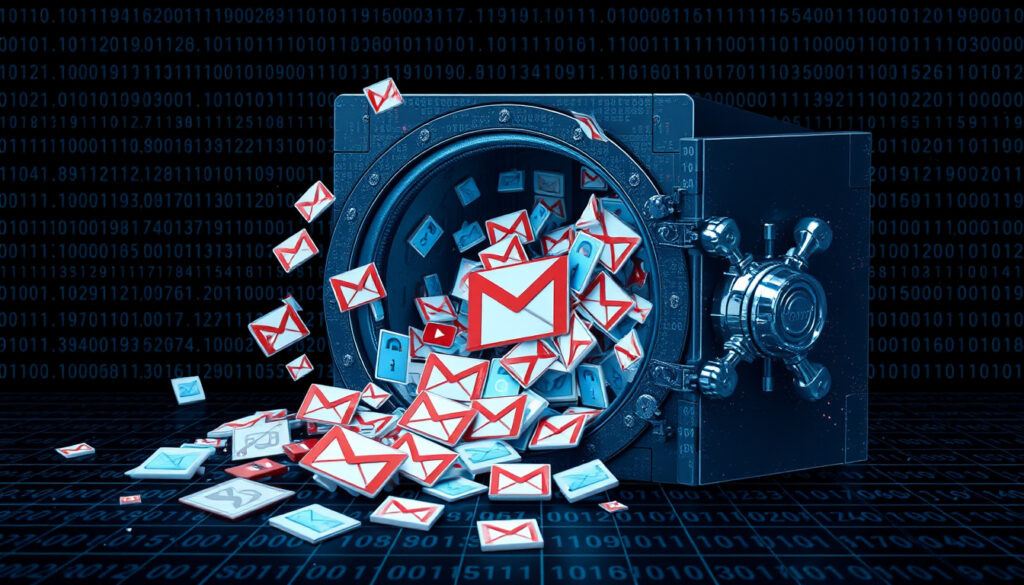
Gmail Passwords Data Breach: 48M Leaked in 2026 – Check Now
If your inbox is anything like most people’s, a sudden warning from Google about your Gmail password would stop you cold. In early 2026, that scenario became reality for an estimated 48 million users when researchers uncovered a credential dump containing Gmail login pairs alongside credentials from Apple, Facebook, Amazon, and other major platforms. Security analysts are calling it a rough start to the year for password hygiene, and the scale has internet users scrambling to verify whether their accounts are compromised.
Gmail Accounts Exposed: 48 Million · Total Credentials Leaked: 184 Million · Leak Discovered: January 2026 · Google Verification Tool: Password Checkup
Quick snapshot
- Whether this represents a direct Gmail breach or a credential compilation
- Timeline between breach occurrence and public disclosure
- Whether exposed Gmail credentials have been actively exploited post-leak
- Users should verify accounts via Google Password Checkup
- MFA enforcement becomes critical defense layer
- Credit freezing recommended as identity protection measure
These key facts outline the scale and nature of the 2026 credential exposure across major platforms.
| Attribute | Detail |
|---|---|
| Primary Leak Source | Credential compilation database |
| Gmail Impact | 48 Million accounts |
| Total Records Affected | 184 Million across 6 platforms |
| Affected Platforms | Apple, Google, Facebook, Amazon, Netflix, PayPal |
| Data Encryption Status | Plain text (unencrypted) |
| Google Response Tool | Password Checkup |
| Verification Site | haveibeenpwned.com |
| Analysis Published | January 13, 2026 |
Have Gmail passwords been leaked?
Security researchers have confirmed that 48 million Gmail login and password combinations appeared in a massive data leak discovered in early 2026. This figure represents Gmail’s share of a broader compilation containing 184 million credential records from six major technology platforms: Apple, Google, Facebook, Amazon, Netflix, and PayPal. According to analysis published by PC Matic on January 13, 2026, and reported by Mezha, the Gmail credentials were not isolated to a single breach source but appear in a credential compilation database that aggregates leaked data from multiple incidents.
48 Million Gmail Credentials in 2026 Dump
The Gmail-specific exposure of 48 million accounts represents a significant concentration of credentials. PC Matic’s analysis, authored by Jessica Molden, notes that users of major internet platforms have a high probability of being affected by this breach. The compilation affects users across multiple continents and regions due to the global nature of the affected platforms. Unlike previous breaches that primarily targeted obscure websites, this incident specifically involved credentials from some of the internet’s most widely-used services.
Part of 184 Million Compilation
The broader 184 million record breach encompasses credentials from six major platforms. According to PC Matic’s investigation, the emails, login links, and passwords were stored in plain text rather than encrypted. This plain text storage is particularly alarming because it means anyone who gains access to the leaked data can read passwords without any decryption effort. Normally, stolen passwords are scrambled or encrypted, requiring hackers to work to unscramble them — this breach eliminated that security barrier entirely.
What are the signs that your Gmail is hacked?
When your Gmail account has been compromised, the warning signs often appear before you receive an official notification. Security analysts point to several behavioral indicators that suggest unauthorized access has occurred. Detecting these signs early can prevent further damage, since the investigation trail for identifying the perpetrators of the 2026 breach has reportedly gone cold, leaving affected users to manage their own account protection.
Unexpected Activity Alerts
- Login attempts from unfamiliar locations or devices
- Sent emails that you did not write or authorize
- Password changes you did not initiate
- Contacts receiving spam or phishing emails from your account
Changes to Account Settings
- Recovery email address modified without your knowledge
- Phone number for verification changed
- Security questions updated
- Linked third-party services or applications you don’t recognize
The implication: attackers who obtained plain text passwords from the 2026 breach can attempt credential stuffing across multiple platforms where users reuse passwords.
For Gmail users whose credentials appear in this breach, unauthorized access may already have occurred without their knowledge. Once attackers possess plain text passwords, they can attempt credential stuffing attacks across multiple platforms where users reuse passwords.
What does it mean when Google says passwords found in data breach?
Google’s notification about passwords appearing in a data breach is a flag that your credential has been exposed in a known leak. This doesn’t automatically mean your Gmail account has been accessed, but it does mean the password associated with your account is no longer secure, as anyone possessing the leaked data can use it immediately. Google Password Checkup serves as the company’s official response tool for this exact scenario.
Password Checkup Explanation
Google Password Checkup is a built-in browser tool that scans saved credentials for breach exposure. When you run Password Checkup through your Google account settings, it cross-references your stored passwords against known breach databases. If a match is found, Google flags that password as compromised and recommends immediate change. The tool provides this verification at no cost and works directly within Chrome or through your Google account dashboard.
Implications for Security
A password flagged by Google Password Checkup has appeared in at least one known data breach. This exposure means your credential exists in a database that threat actors could potentially access and exploit. The implications extend beyond Gmail: if you reuse that password across multiple services, every linked account becomes vulnerable. Security researchers consistently recommend that when a password appears in a breach database, it should never be used again on any platform.
Responsibility for protecting accounts falls on individual users once a breach is discovered, according to PC Matic’s analysis. Google provides the detection tools, but users must take action — changing flagged passwords immediately and enabling additional security layers to prevent exploitation.
Secure a hacked or compromised Google Account
If your Google Account shows signs of compromise or your credential appears in the 2026 breach, immediate action is essential. The recovery process involves both regaining control of your account and implementing safeguards that prevent future unauthorized access. Multi-Factor Authentication represents the single most effective defense against stolen passwords, according to cybersecurity experts analyzing this incident.
Immediate Recovery Steps
- Navigate to your Google Account recovery page and select “Forgot password”
- Verify your identity using your recovery phone, email, or security key
- Create a strong, unique password that you don’t use on any other platform
- Check “Recent security activity” to review all login locations and devices
- Revoke access for any unrecognized devices or sessions
- Review and remove any suspicious emails sent from your account
- Update recovery contact information to your own verified details
Enable 2-Factor Authentication
Multi-Factor Authentication requires you to enter a secondary code sent to your phone when logging in from a new device. This layer prevents unauthorized access even when hackers possess your password in plain text, as was the case with credentials from the 2026 breach. MFA blocks approximately 99% of automated password attacks, making it the most critical security upgrade you can implement today.
MFA adds a few seconds to your login process, but the protection it provides against credential-based attacks makes that friction worthwhile. For Gmail users whose credentials appeared in this breach, MFA is the difference between an exposed account and a secured one.
How to check if my Gmail password was leaked
Verification tools are available through both Google’s official services and independent breach databases. Security analysts recommend checking your Gmail credentials through multiple channels to ensure comprehensive verification, since no single database captures every leaked credential. The combination of Google’s native tool and third-party verification sites provides the most complete picture of your exposure status.
Start Password Checkup
- Go to passwords.google.com while signed into your Google Account
- Click “Password Checkup” and sign in if prompted
- Review the results showing compromised, reused, and weak passwords
- For any Gmail entry flagged as compromised, select “Change password” immediately
- Dismiss compromised passwords from your saved list after changing them
- Return to Checkup periodically to monitor for new exposures
Verify Against Have I Been Pwned
Have I Been Pwned maintains a database of email addresses and passwords exposed in known data breaches. Visit haveibeenpwned.com and enter your Gmail address to see if it appears in breach compilations. Unlike Google’s tool which checks stored passwords, this service verifies whether your email address itself was included in known dumps. If your Gmail appears here, treat any password associated with that email as compromised regardless of when you last changed it.
Breach Timeline
These dates mark the key moments in the 2026 credential breach timeline, from initial discovery through public reporting.
| Date | Event | Source |
|---|---|---|
| January 2026 | Massive data breach discovered exposing 184 million records across major tech platforms | PC Matic |
| January 13, 2026 | PC Matic publishes analysis of 2026 data breach by Jessica Molden | PC Matic |
| Early 2026 | 48 million Gmail logins and passwords reported found online in credential dump | Mezha |
| Post-discovery 2026 | Investigation trail for breach perpetrators goes cold | PC Matic |
What We Know vs. What Remains Unclear
Confirmed
- 48 million Gmail credentials appeared in a 2026 credential compilation
- 184 million total records exposed across Apple, Google, Facebook, Amazon, Netflix, PayPal
- Credentials stored in plain text without encryption
- PC Matic analysis published January 13, 2026 by Jessica Molden
- Google provides Password Checkup tool for verification
- MFA identified as primary defense against stolen credentials
Unclear
- Whether this represents a direct Gmail breach or credential aggregation from multiple sources
- Whether exposed Gmail credentials have been actively exploited post-leak
- How the breach was discovered or who first identified the compilation
- Whether any law enforcement agencies have launched investigations
- Percentage of exposed Gmail credentials that are currently in active use
Expert Perspectives
The emails, login links, and passwords were found in ‘plain text.’ That means anyone who finds this list can read your password just as easily as you are reading this sentence right now.
— Jessica Molden, PC Matic cybersecurity analyst (PC Matic analysis)
It’s been a rough start to 2026 for password security. A massive new data breach has been discovered, exposing a staggering 184 million records.
— Mezha news publication (Mezha report)
If you use the internet, there is a high chance that this affects you. This isn’t just obscure websites getting hacked.
— Jessica Molden, PC Matic cybersecurity analyst (PC Matic analysis)
The 2026 credential compilation represents a significant escalation in data exposure compared to typical breaches. While most stolen passwords are encrypted and require computational effort to crack, this dump contained credentials stored in plain text, eliminating the usual barriers between exposure and exploitation. For Gmail users whose 48 million accounts appear in the compilation, the priority is immediate action: verify your credential status, change any flagged passwords, and enable Multi-Factor Authentication before your next login.
Related reading: How to Reset a Router Password – Step-by-Step Factory Reset Guide · Microsoft 365 Admin Center – Complete Guide to Access and Features
As outlined in a facts timeline and protection guide, no evidence confirms direct compromise of Google’s servers amid the massive credential dumps.
Frequently asked questions
What is the most hacked email provider?
No single email provider consistently dominates breach statistics, as attack volume depends on user base size and attacker motivation. Gmail’s market dominance makes it a frequent target, but the 2026 breach specifically exposed 48 million Gmail credentials alongside records from five other major platforms. Larger user bases correlate with more frequent exposure simply due to volume.
Which email is the hardest to hack?
Email security depends more on user behavior than the provider itself. Using unique passwords, enabling MFA, and avoiding phishing links provides stronger protection than any specific email service. Google, Microsoft, and Apple all offer robust security features, but accounts with MFA enabled are exponentially harder to compromise than accounts relying on passwords alone.
Why is Google warning Gmail users about passwords?
Google warns users when their stored passwords appear in known data breaches because compromised credentials are the primary vector for unauthorized account access. When a password appears in a breach compilation, even if the specific Gmail account wasn’t directly breached, that credential is now in circulation among threat actors who will attempt to use it across multiple platforms.
How do I check if my password was leaked?
Navigate to passwords.google.com while signed into your Google Account, click “Password Checkup,” and review any compromised passwords flagged in the results. Additionally, visit haveibeenpwned.com to check whether your email address appears in known breach databases. If your Gmail or associated password appears in either tool, change it immediately.
What is Google Password Checkup?
Google Password Checkup is a free security tool that scans your saved passwords for exposure in known data breaches. It identifies compromised passwords that have appeared in leak databases, reused passwords that pose cross-platform risk, and weak passwords vulnerable to guessing attacks. The tool is available through Chrome’s password manager and your Google Account settings.
Are recent breaches specific to Gmail?
The 2026 credential compilation affected six major platforms including Gmail, Apple, Facebook, Amazon, Netflix, and PayPal. The 48 million Gmail credentials represent a significant portion but not the entirety of the 184 million total records exposed. This multi-platform compilation means users of any major internet service may have been affected.
Should I change my Gmail password now?
If your Gmail password appears in the 2026 breach compilation or in any previous known breaches, changing it immediately is essential. Even if you’re unsure whether your credential was exposed, running Google Password Checkup and enabling MFA provides proactive protection. Users with unique, strong passwords and MFA enabled face minimal risk regardless of breach exposure.
More related posts
 Grimsby Town vs Manchester United F.C. Lineups: Shock Result
 Year of the Dragon: Traits, Compatibility & 2026 Guide
 What time does it get dark in Ireland? A guide to sunset
 Flights from Toronto to Winnipeg – Cheapest Prices, Airlines and Schedules
 Adam Baldwin: What Happened to the Actor? Career & Politics
 Mickey Hargitay: Biography, Career, and Fatherhood
 Recette Filet de Porc au Four – Juicy Oven Results Every Time
 Fast Food Places Near Me in Ireland: Supermac’s & Delivery
